

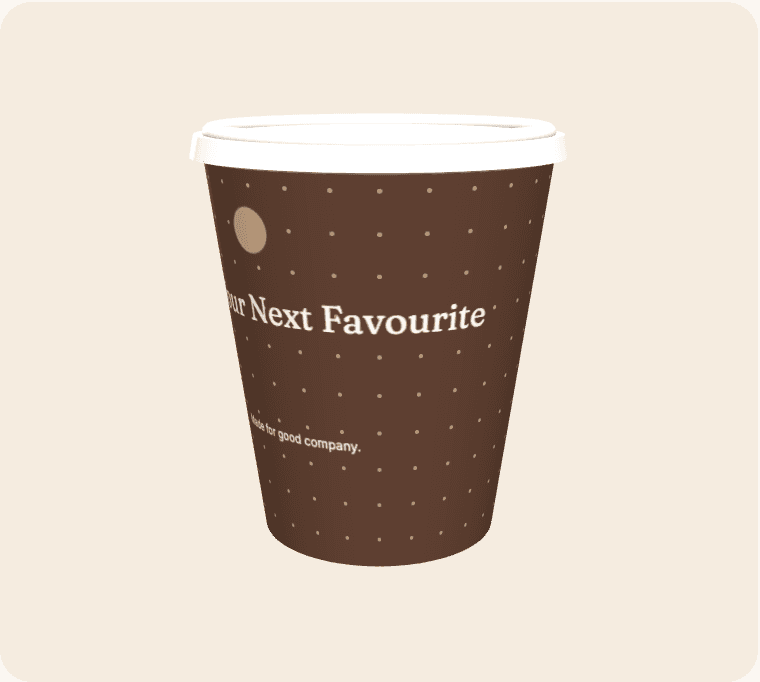
A pop-up has a short time to explain what it is and why someone should stop. A cup can extend that identity beyond the temporary counter, but it should not try to carry every detail of the project. Use a clear name and one useful message. Plan how the design, temporary venue and online destination will work together after the physical space closes.
Explain the concept quickly
A visitor may encounter the cup without having seen the shopfront. Give the design enough context to identify the offer or occasion. An unfamiliar brand name may need a short supporting line, while a well-known identity may need only a focused campaign message.
Choose a durable destination
If the cup links online, avoid depending on a page that disappears when the pop-up ends. A maintained project page can explain what happens next, such as future dates or the main shop. Make that continuity part of the brief before generating the code.
Design for limited storage
Temporary venues often have restricted stock space and irregular receiving arrangements. Discuss carton storage and replenishment with the people operating the counter. Match the run to the actual trading window rather than estimating from a hypothetical permanent shop.
Separate testing from promotion
A pop-up may be evaluating a concept as well as promoting it. Decide which observations matter: customer questions, repeat visits or responses to a message. Keep notes during service so the next version is informed by evidence rather than only by photographs of a busy launch.
From a brief to a reviewable design
Open the suggested template as a starting point, then replace its sample wording and artwork with material you are entitled to use. Select an active cup size and compare the editing surface with the curved wrap. Treat the seam, bleed and safe-area indicators as guidance based on the current geometry; supplier confirmation is still required before production.
Save a clearly named revision before asking other people to review it. Give reviewers a specific checklist: identity, spelling, contact details, placement and the intended destination of any code. Consolidate their feedback into one version instead of treating several similar files as equally final. Screen previews help with layout, but they do not certify material suitability, exact colour, resolution or a production-ready PDF.
Compare the complete project
Use the live calculator for quantities, turnaround options, extras and estimated delivery. Keep VAT and delivery assumptions visible when comparing scenarios. The figures are indicative until commercial details are confirmed, and a production range is not a courier guarantee. The estimator uses configured working days, cut-off time, closure dates and the England-and-Wales holiday calendar.
Live payments and manufacturing release remain closed while merchant and supplier acceptance is outstanding. Preparing a design is still useful: it gives the team a concrete brief to review. Confirm the actual product, commercial terms and receiving arrangements before announcing an arrival date or treating the artwork as approved for manufacture.