

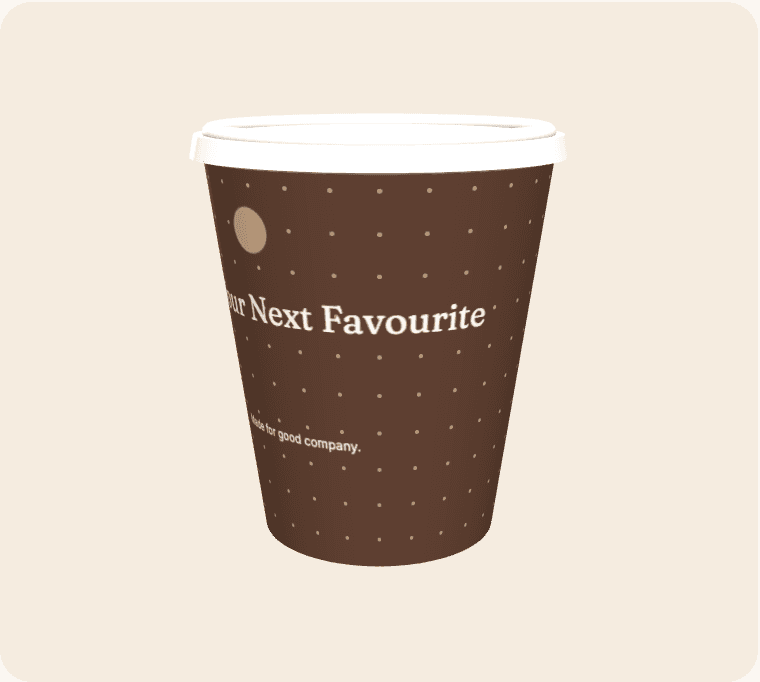
A product launch often needs to turn a new name into something people can recognise and discuss. Cup artwork can support that introduction when it explains the core idea clearly. It should not try to reproduce a product sheet or announce claims that are still under review. Coordinate the printed message with the live demonstration, staff briefing and launch page so an interested person can take a useful next step.
Choose the introductory message
Decide what someone unfamiliar with the product needs to understand first. A name alone may not communicate the category or benefit. Keep the explanation concise, use language the audience recognises and avoid filling the cup with internal terminology from the development team.
Check launch readiness
Confirm that the destination page, product information and any advertised action will be available when the cups are used. If dates can move, consider whether a specific day belongs in the artwork. Printed material should not force a promise that the wider project cannot keep.
Use a controlled version
Launch assets often change quickly. Keep a named artwork owner and a clear record of the approved claims, spelling and imagery. Make sure late product changes reach the cup brief rather than leaving an earlier name or description in a forgotten file.
Plan the post-launch period
A launch cup may remain in circulation after the event. Decide what its code or short URL should show once the initial announcement has passed. A maintained product page can preserve context without leaving people at a temporary registration screen that no longer works.
From a brief to a reviewable design
Open the suggested template as a starting point, then replace its sample wording and artwork with material you are entitled to use. Select an active cup size and compare the editing surface with the curved wrap. Treat the seam, bleed and safe-area indicators as guidance based on the current geometry; supplier confirmation is still required before production.
Save a clearly named revision before asking other people to review it. Give reviewers a specific checklist: identity, spelling, contact details, placement and the intended destination of any code. Consolidate their feedback into one version instead of treating several similar files as equally final. Screen previews help with layout, but they do not certify material suitability, exact colour, resolution or a production-ready PDF.
Compare the complete project
Use the live calculator for quantities, turnaround options, extras and estimated delivery. Keep VAT and delivery assumptions visible when comparing scenarios. The figures are indicative until commercial details are confirmed, and a production range is not a courier guarantee. The estimator uses configured working days, cut-off time, closure dates and the England-and-Wales holiday calendar.
Live payments and manufacturing release remain closed while merchant and supplier acceptance is outstanding. Preparing a design is still useful: it gives the team a concrete brief to review. Confirm the actual product, commercial terms and receiving arrangements before announcing an arrival date or treating the artwork as approved for manufacture.