

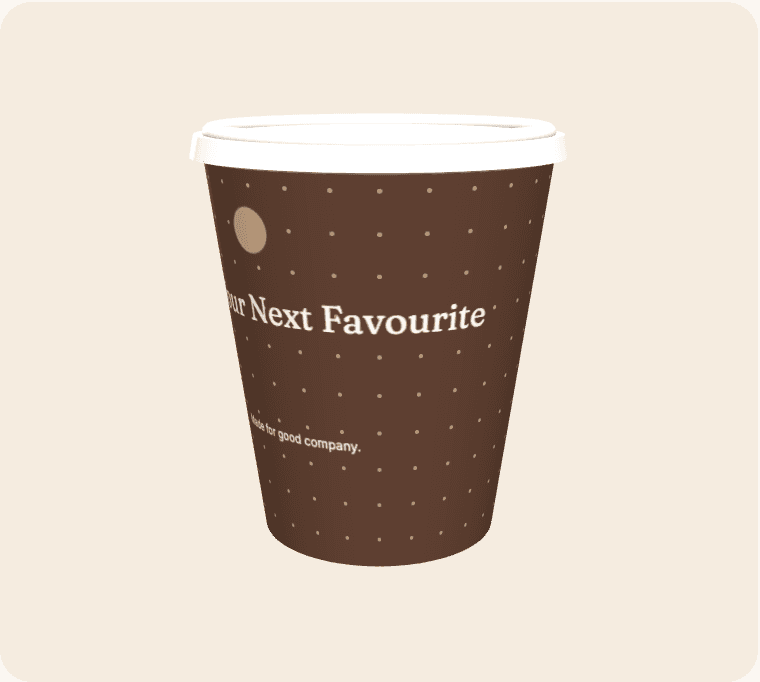
A promotional cup should give the recipient a reason to notice the message without turning a refreshment into a complicated advert. Start with a single campaign objective and a clear audience. The cup can introduce a benefit, point to a resource or reinforce recognition, but it cannot explain a complete offer in a few seconds. Choose what belongs on the object and what should be explained at the destination.
Write the action before the headline
Decide what someone should do after noticing the cup. That might be finding a nearby stand, reading a short page or remembering a product name. A specific action gives the design a useful hierarchy and prevents competing calls to action from filling the available space.
Keep the offer accurate
Check dates, eligibility and any significant conditions before including an offer. If the full explanation belongs online, make the destination clear and keep it consistent with the printed message. Do not imply a benefit that depends on conditions the recipient cannot reasonably discover.
Choose the distribution context
A cup handed over during a conversation has a different role from one collected at a shared refreshment station. Brief the team on what the design says and how to answer obvious questions. The same artwork may need different supporting material in different settings.
Evaluate more than distribution
The number of cups used is an operational count, not proof that every person noticed or acted on the promotion. Pair it with a relevant outcome and record limitations. A small, interpretable result is more useful than an inflated impression figure without a clear method.
From a brief to a reviewable design
Open the suggested template as a starting point, then replace its sample wording and artwork with material you are entitled to use. Select an active cup size and compare the editing surface with the curved wrap. Treat the seam, bleed and safe-area indicators as guidance based on the current geometry; supplier confirmation is still required before production.
Save a clearly named revision before asking other people to review it. Give reviewers a specific checklist: identity, spelling, contact details, placement and the intended destination of any code. Consolidate their feedback into one version instead of treating several similar files as equally final. Screen previews help with layout, but they do not certify material suitability, exact colour, resolution or a production-ready PDF.
Compare the complete project
Use the live calculator for quantities, turnaround options, extras and estimated delivery. Keep VAT and delivery assumptions visible when comparing scenarios. The figures are indicative until commercial details are confirmed, and a production range is not a courier guarantee. The estimator uses configured working days, cut-off time, closure dates and the England-and-Wales holiday calendar.
Live payments and manufacturing release remain closed while merchant and supplier acceptance is outstanding. Preparing a design is still useful: it gives the team a concrete brief to review. Confirm the actual product, commercial terms and receiving arrangements before announcing an arrival date or treating the artwork as approved for manufacture.